
Table of Contents
- Access the ActiveInstruct Dashboard
- Create a New Classroom
- Add Students to Your Classroom
- Setting Your Classroom Schedule
Deledao ActiveInstruct makes it easy for teachers to set up and manage digital classrooms, ensuring a streamlined and organized learning environment.
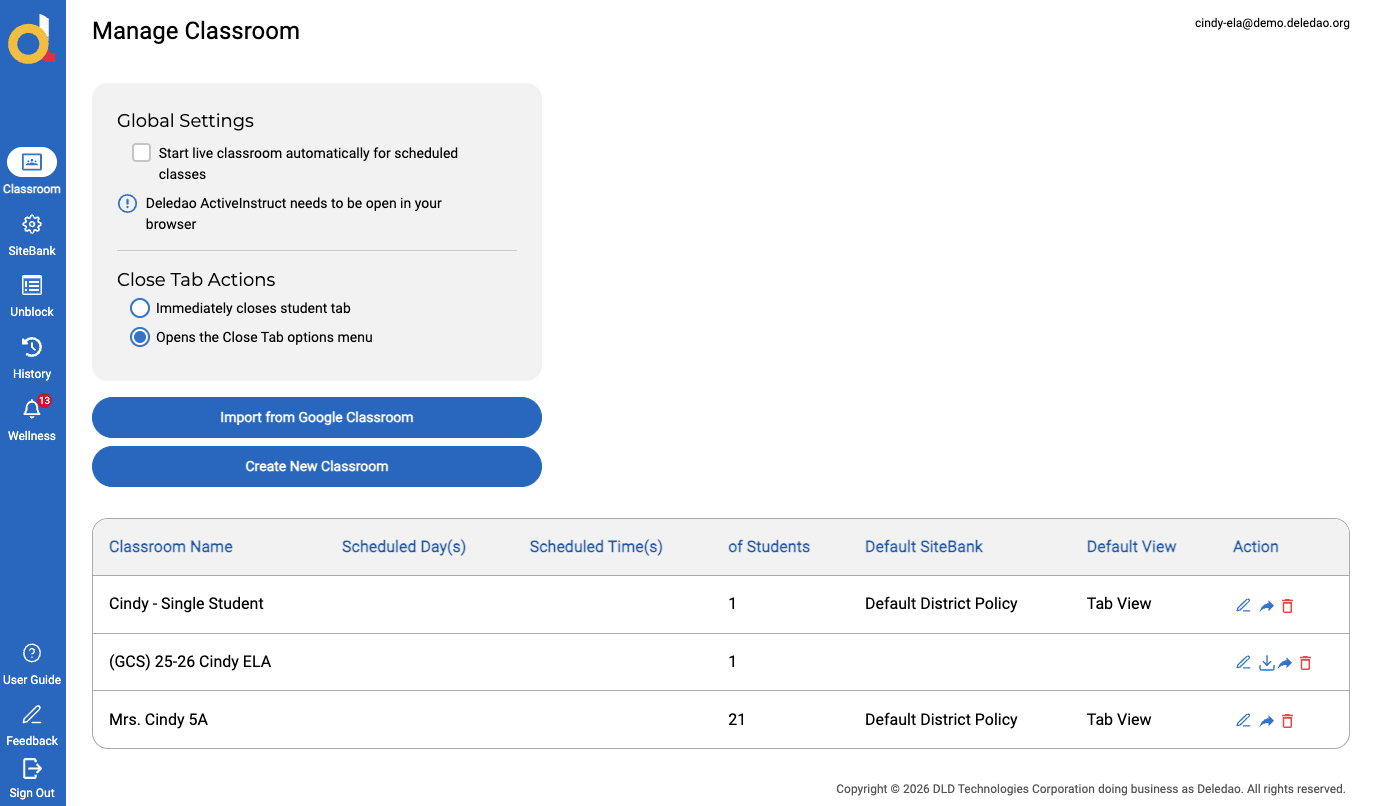
Access the ActiveInstruct Dashboard
Log in to Deledao ActiveInstruct.
Click on the Classroom button in the Navigation Rail.
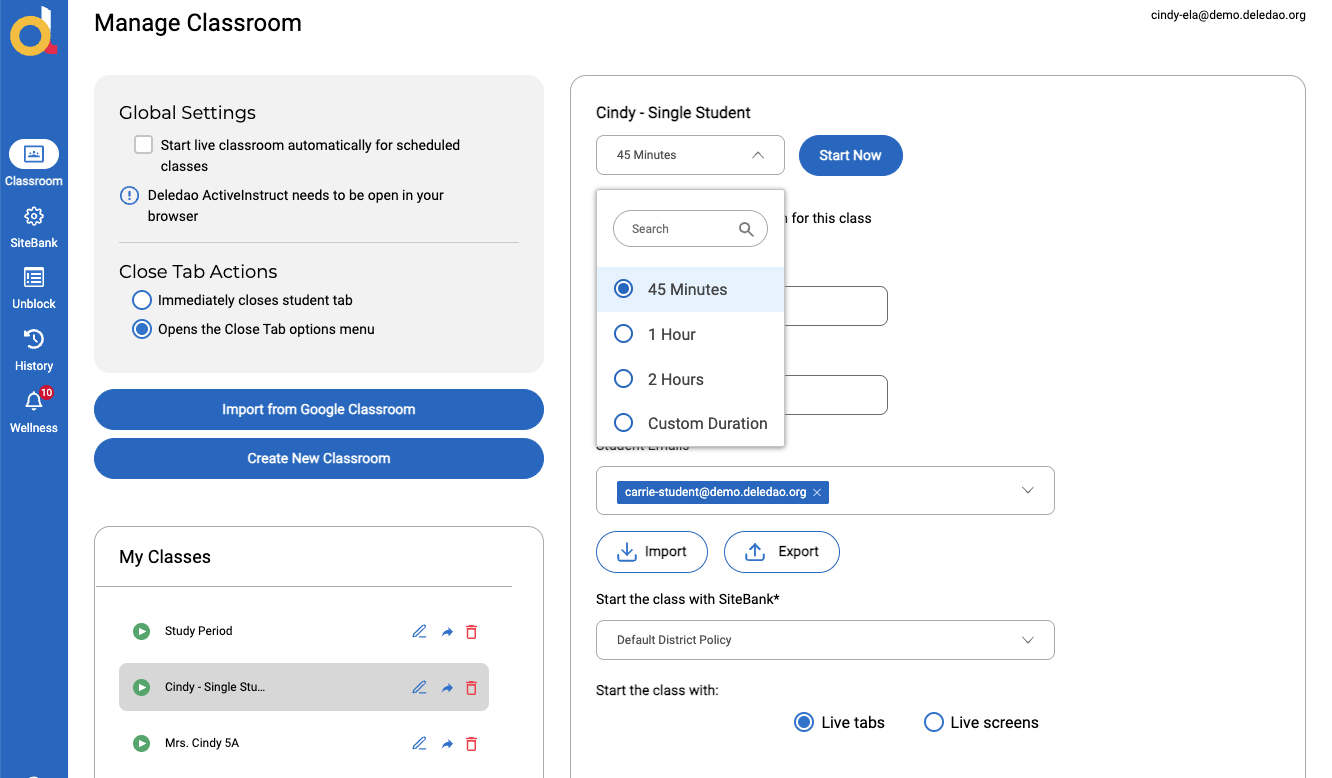
Create a New Classroom
Click on Create New Classroom to begin creating your class.
Enter the following details:
- Class Duration: Select 45 mins, 1 hr, 2 hr or set a Custom Duration from the drop down menu.
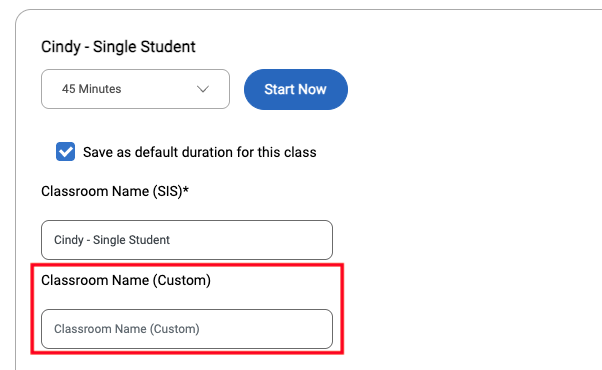
- Classroom Name: (e.g., "7th Grade Science – Period 2")
- Note: If classes are rostered, Classroom Name is pre-populated, but a Custom Classroom Name can be given.
- Start the Class with SiteBank: Select SiteBank (default is District Policy)
- Start class with - allows teachers to determine which ‘view’ they will start their class with:
- Live Tabs - shows the tabs that are open in the browser on the student’s device.
- Live Screens - shows the live primary screen on the student’s device.
Add Students to Your Classroom
- Rostered Classes: Students imported from the rostering method selected by your Administrator.
- Manual Entry: Add individual students by name or email.
- Edit and Manage: Update class rosters anytime by adding or removing students as needed.
Setting Your Classroom Schedule
The Classroom Schedule allows a classroom session to start and end automatically at predetermined days and times. This feature removes the need for teachers to manually start and end a classroom session.
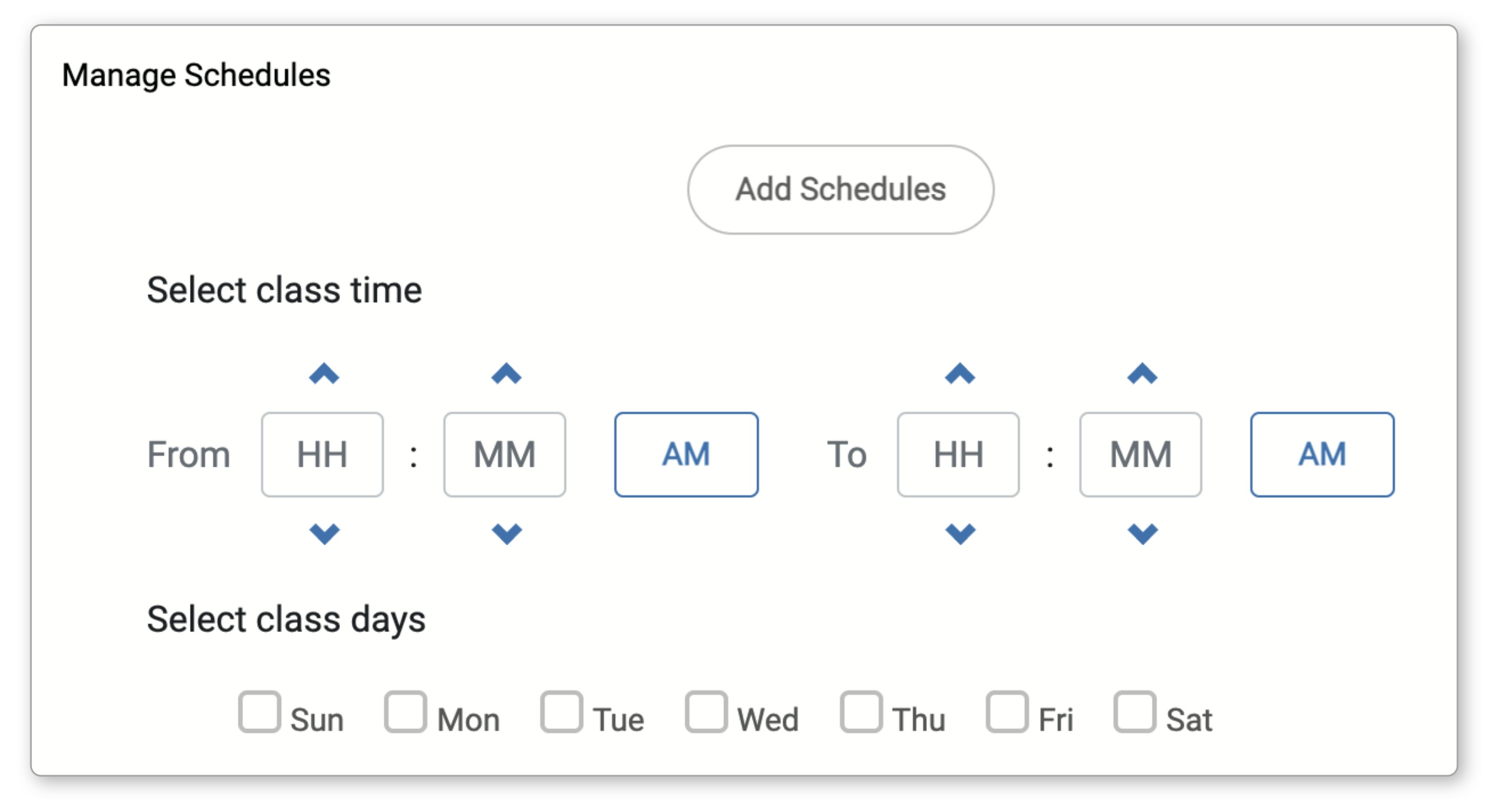
Once all fields have been completed, click Save.
© Deledao Education