
Table of Contents
- Access Classroom History
- Session Reports
- Attendance Information
- Most Visited Sites
- Student Activity Details
- Student Activity Timeline
- Screenshots
- Message History
- Download and Share Reports
- Best Practices
- Frequently Asked Questions
- What's Next?
ActiveInstruct automatically captures classroom activity during Live Classroom sessions. Classroom History allows teachers to review previous classroom sessions, monitor student engagement, access screenshots and messages, and generate reports for documentation and follow-up purposes.
Audience: Teachers
Access Classroom History
To access Classroom History:
- Sign in to ActiveInstruct.
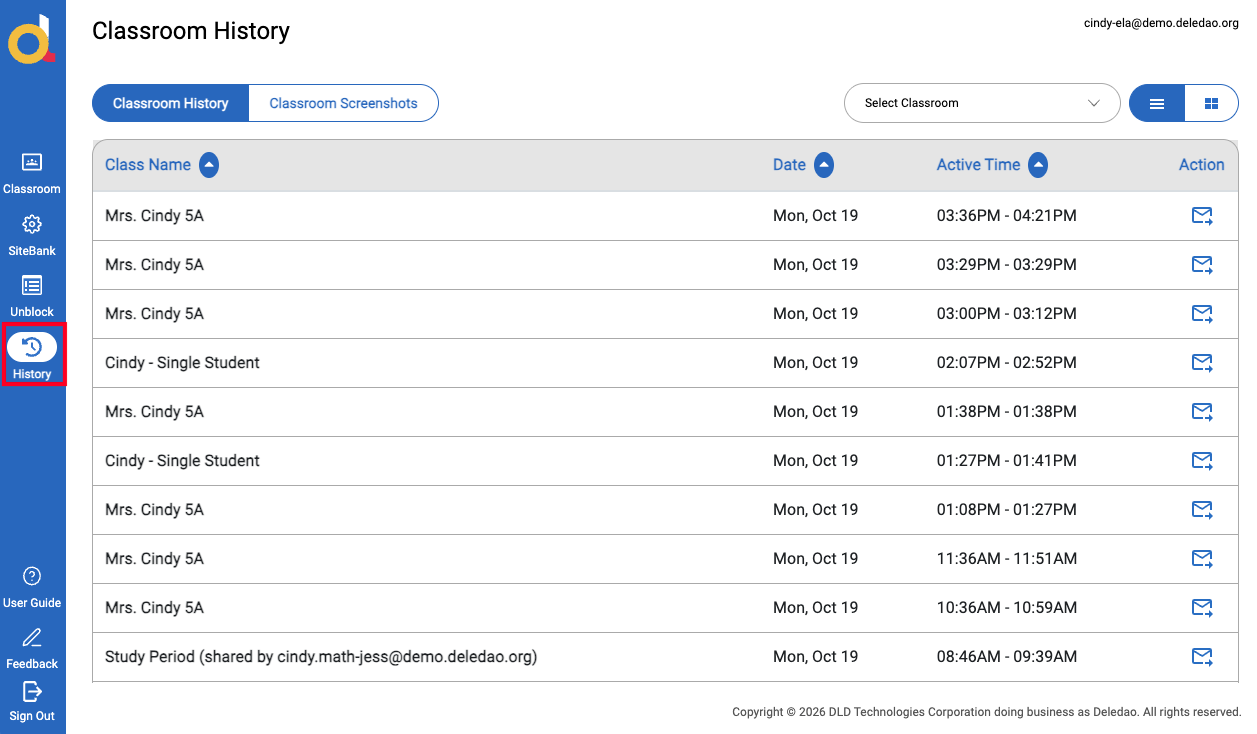
- Select History from the Navigation Rail.
- Review the available classroom sessions and activity records.
Classroom History stores information captured during previous Live Classroom sessions, allowing teachers to review activity after instruction has ended.
Session Reports
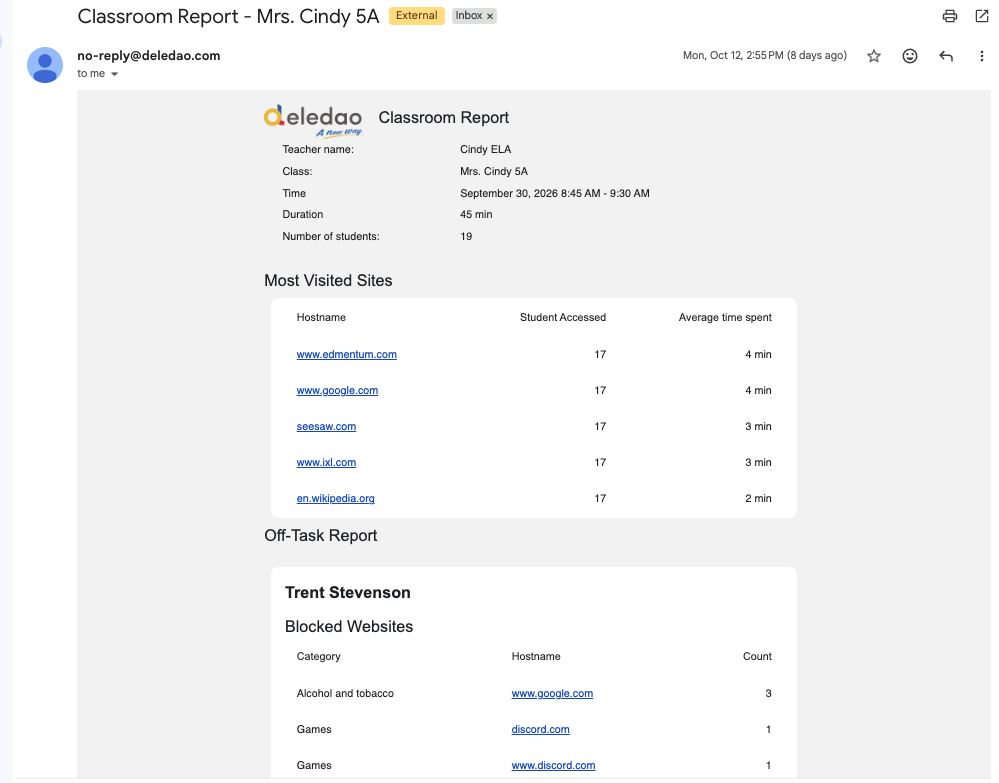
Every Live Classroom session generates a summary report.
Session reports provide an overview of classroom activity and can be reviewed at any time through Classroom History.
Each report includes information such as:
- Teacher name
- Classroom name
- Session date
- Session start time
- Session duration
- Student participation
Teachers can use these reports to review classroom activity, document incidents, and support follow-up conversations with students, parents, or administrators.
Attendance Information
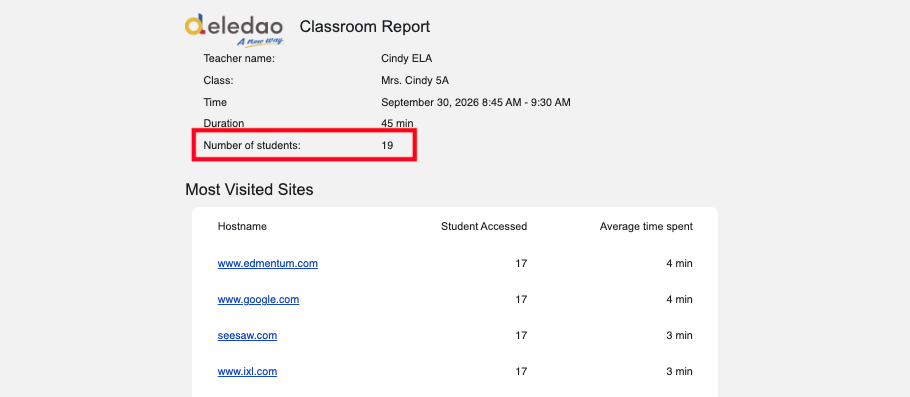
Session reports include attendance information based on student participation during the Live Classroom session.
Attendance data shows how many students actively participated during the session rather than simply displaying the classroom roster.
This information can help teachers verify student participation and identify students who may have missed instruction.
Most Visited Sites
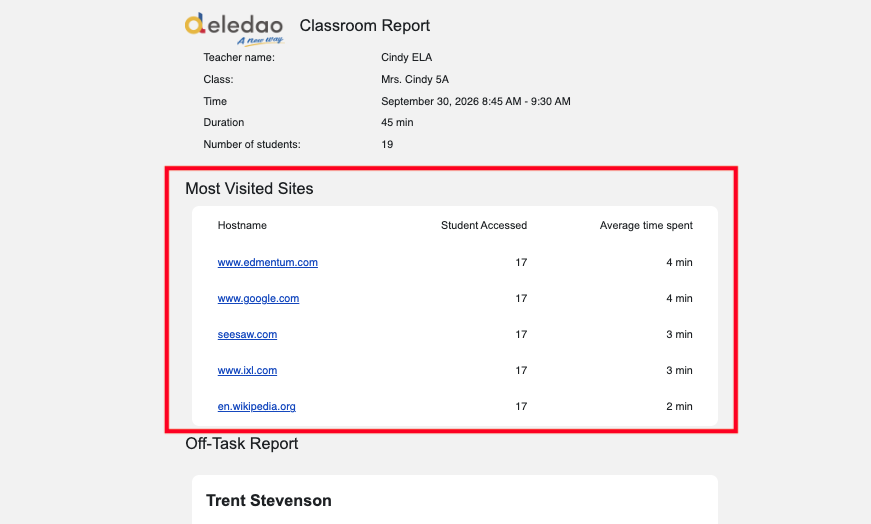
Classroom History provides insight into the websites students used during instruction.
Teachers can review:
- Most visited websites
- Frequently accessed resources
- Classroom engagement trends
This information helps teachers evaluate whether students were focused on instructional resources and identify opportunities to improve classroom workflows.
Student Activity Details
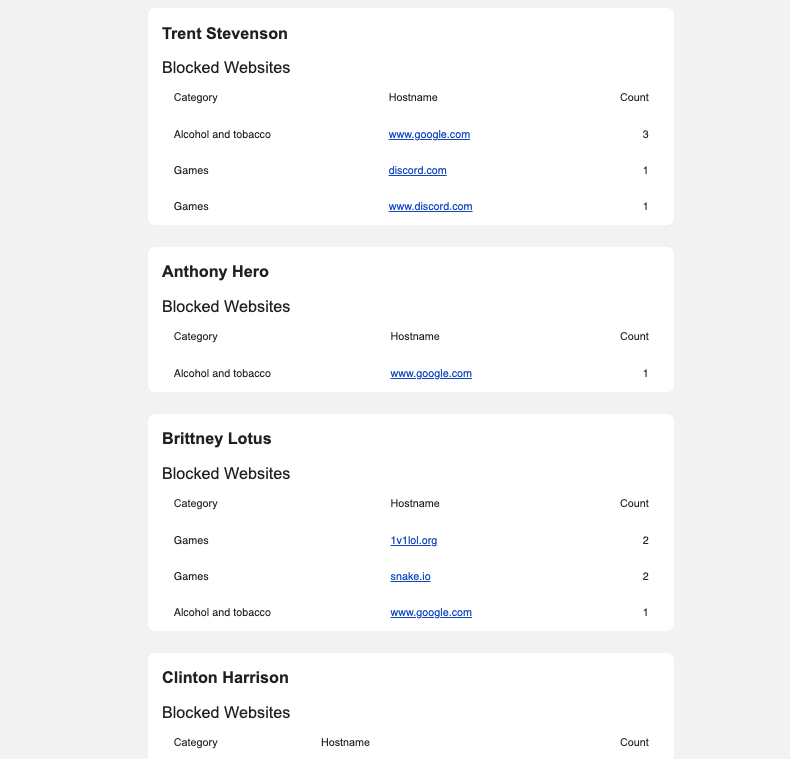
Teachers can review activity on an individual student basis.
Student activity details may include:
- Websites visited
- Time spent on websites
- Blocked websites
- Browsing activity during the session
This information can be helpful when reviewing classroom participation or investigating specific incidents.
Student Activity Timeline
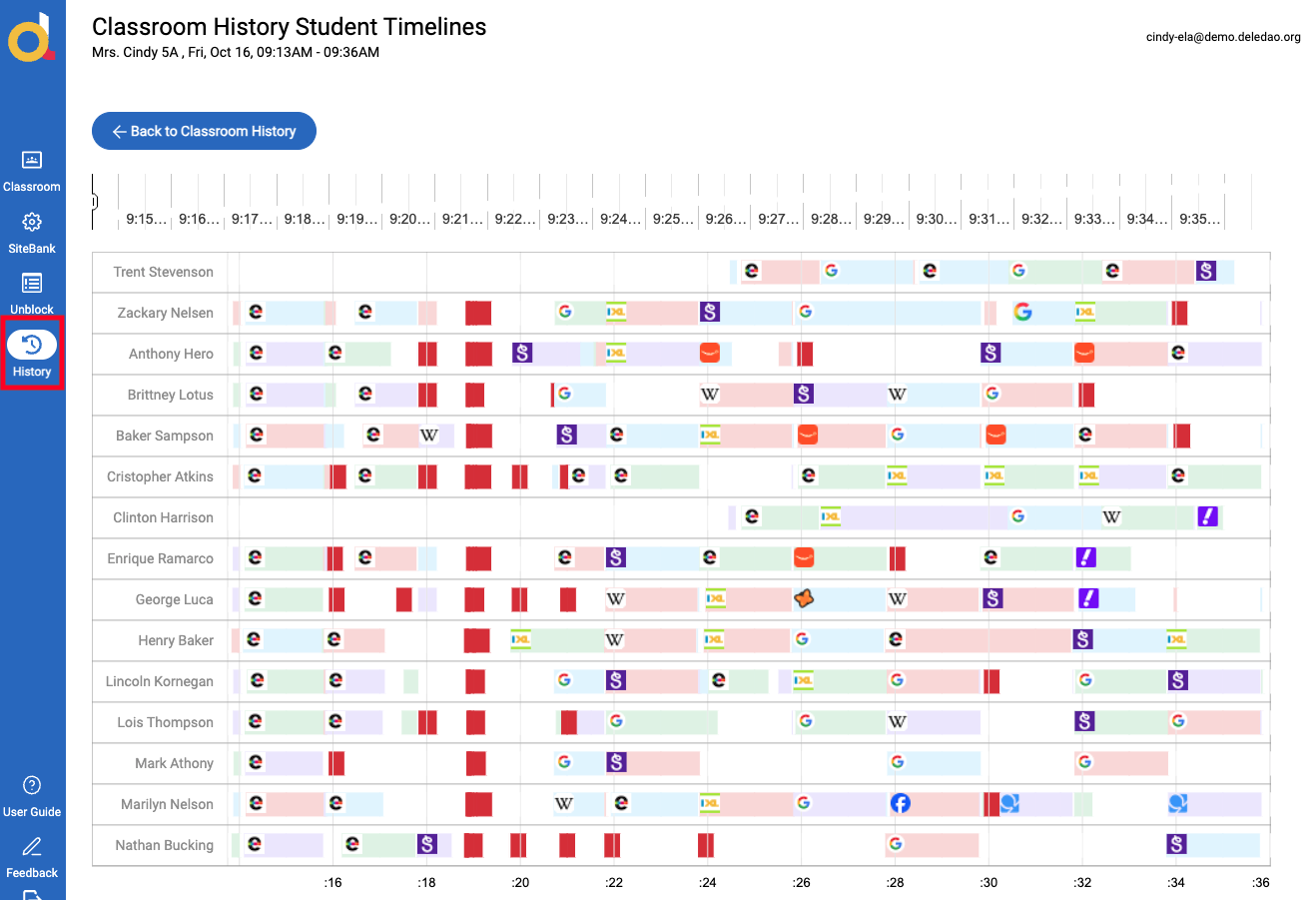
Activity timelines provide a visual representation of student activity throughout a Live Classroom session.
Teachers can use timelines to:
- Review student engagement
- Identify periods of activity
- Review browsing patterns
- Understand how students spent time during class
The timeline view provides a quick way to understand student behavior throughout an entire classroom session.
Screenshots
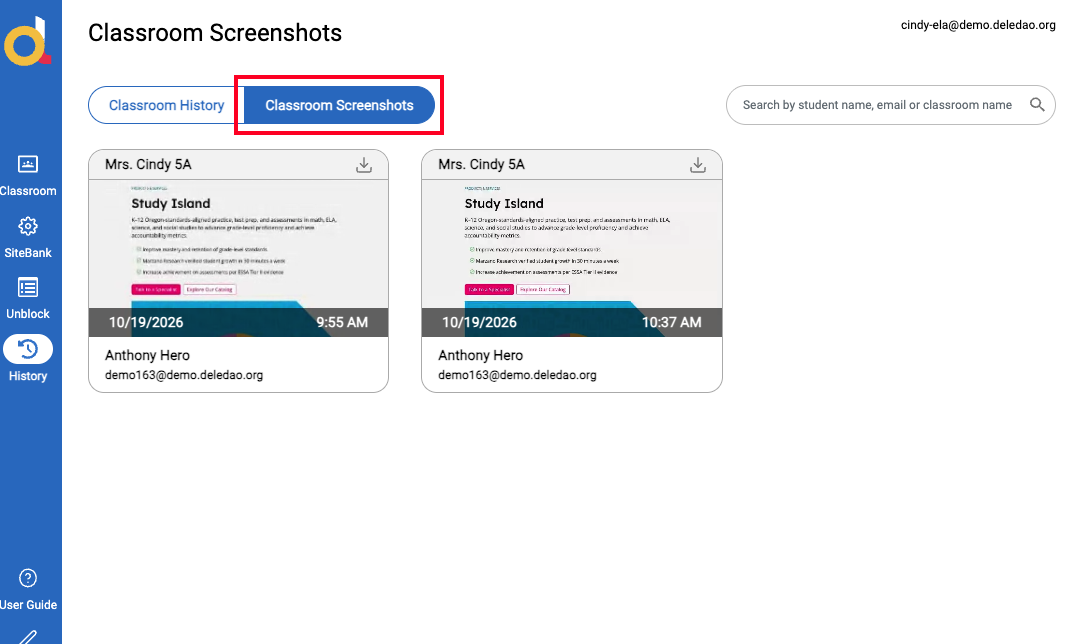
Screenshots taken during Live Classroom sessions are stored in Classroom History.
Teachers can review previously captured screenshots without needing to save files manually during class.
Screenshots can be useful for:
- Documenting classroom incidents
- Reviewing student activity
- Supporting parent or administrator conversations
- Maintaining classroom records
Screenshot Retention
Screenshots are retained for a limited period and may be automatically removed based on system retention policies.
Note: Refer to your organization's retention practices if screenshots are needed for long-term documentation.
Message History
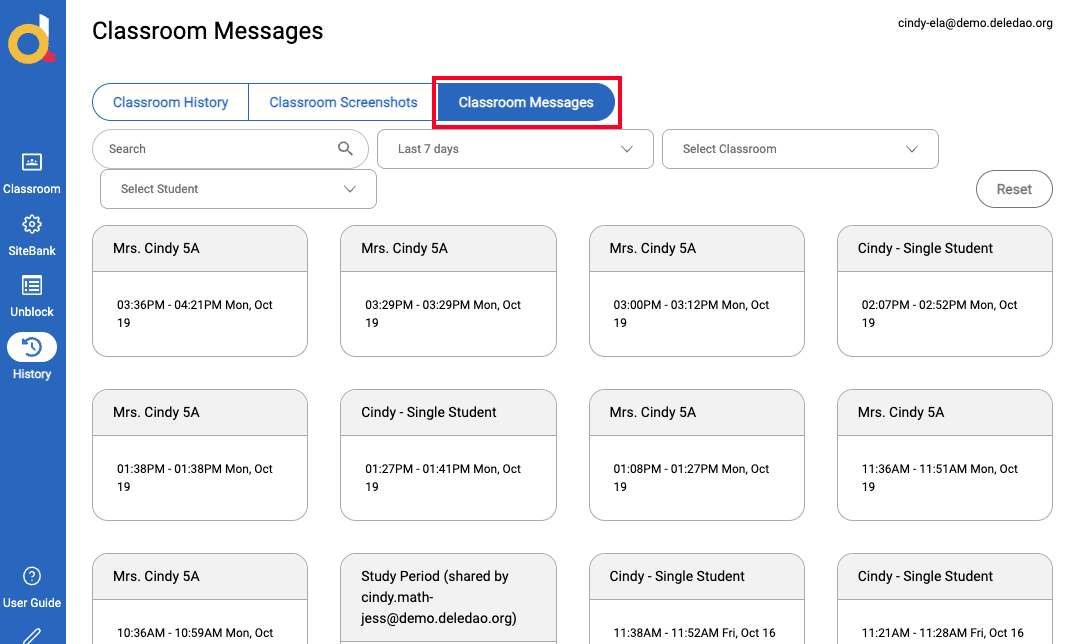
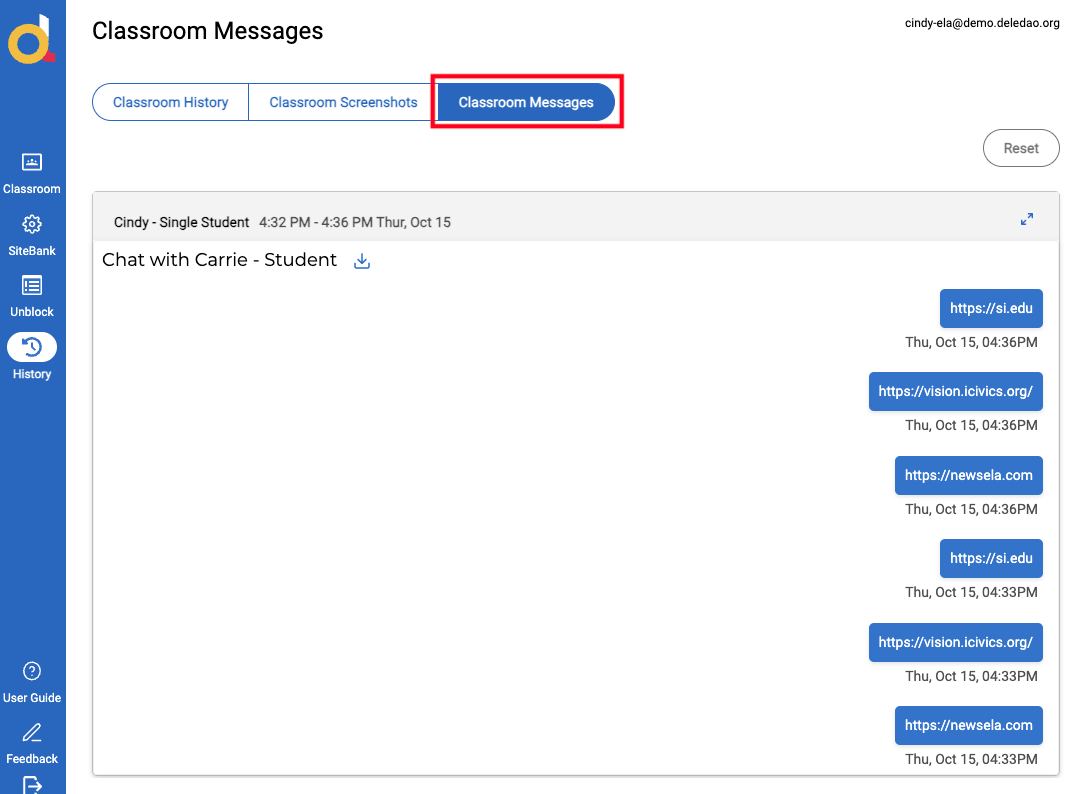
Classroom History stores teacher-student communication records when message logging is enabled.
Teachers can review:
- Individual student messages
- Classroom announcements
- Communication history from previous sessions
Message history can provide additional context when reviewing classroom activity.
Message Logging
Message logging is controlled by administrators.
If message logging has not been enabled by your organization, message history may not be available.
Download and Share Reports
Reports can be downloaded or shared when documentation is needed.
Common use cases include:
- Parent conferences
- Student behavior discussions
- Administrative reviews
- Classroom participation reviews
- Follow-up investigations
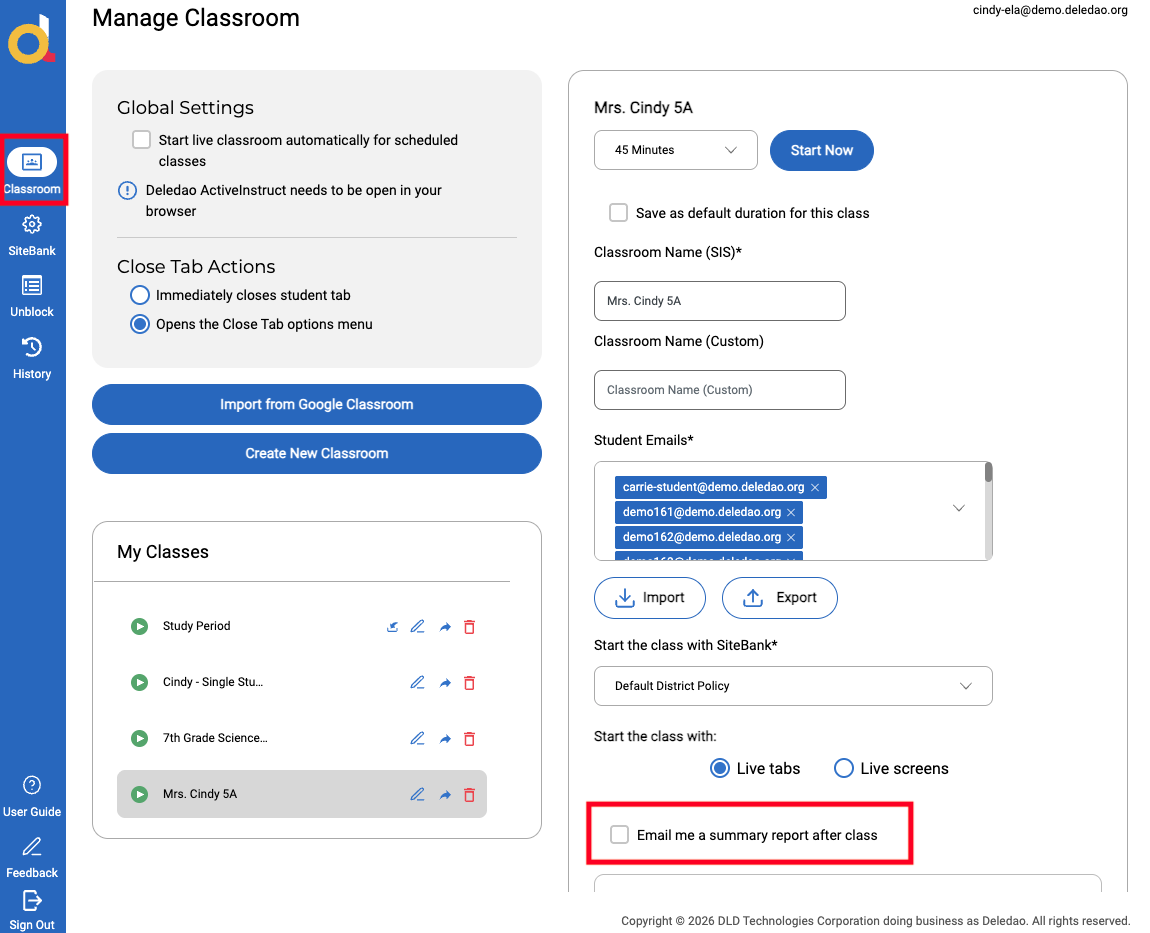
Teachers can also choose to receive classroom reports automatically by email when that option is enabled in classroom settings.
Best Practices
Review Reports Regularly
Regularly reviewing Classroom History can help identify engagement trends and support proactive classroom management.
Use Reports to Support Conversations
Reports provide objective information that can be helpful during discussions with students, families, counselors, and administrators.
Capture Screenshots When Needed
Screenshots provide valuable context when documenting classroom incidents or reviewing student activity.
Review Activity Before Approving Requests
When questions arise about student activity, Classroom History can provide additional context before decisions are made.
Frequently Asked Questions
Does every Live Classroom session generate a report?
Yes. Each Live Classroom session creates a summary report that can be accessed through Classroom History.
Can I access screenshots after class ends?
Yes. Screenshots taken during a Live Cassroom session are stored in Classroom History and can be reviewed later.
Can I review messages sent during class?
If message logging has been enabled by yur administrator, message history can be reviewed through Classroom History.
Can reports be emailed automatically?
Yes. Teachers can configure classes to autoatically email session reports.
What's Next?
You have now completed the core ActiveInstruct teacher workflow:
- Getting Started with ActiveInstruct
- Creating and Organizing Classrooms
- Live Classroom Overview
- Using SiteBanks to Guide Learning
- Using Groups for Differentiated Instruction
- Co-Teaching and Shared Classrooms
- Classroom History and Activity Reports
Together, these articles provide teachers with a complete guide to setting up classrooms, managing instruction, supporting students, collaborating with other educators, and reviewing classroom activity.
© Deledao Education