
Table of Contents
- Why Student-Teacher Mapping Matters
- Access Directory Management
- Create Mappings Automatically
- Create Mappings Manually
- Import Mappings Using a CSV File
- Administrator Workflow for Teacher Unblock Requests
- Verify Mappings
- Best Practices
Audience: Administrators
Student-teacher mappings connect students with designated teachers within Deledao. These mappings allow students to submit unblock requests to approved teachers and give teachers access to Teacher Portal features, including Unblock Requests and ActiveInstruct™. Mappings can be configured automatically through rostering integrations or manually by administrators.
Why Student-Teacher Mapping Matters
Student-teacher mappings are required for several Teacher Portal features, including:
- Student unblock requests
- Teacher approval workflows
- ActiveInstruct™ classroom management
- Teacher Portal access for mapped teachers
Once a mapping is established, students can send unblock requests directly to one of their assigned teachers.
Access Directory Management
To manage student-teacher mappings:
- Sign in to the Deledao Admin Console.
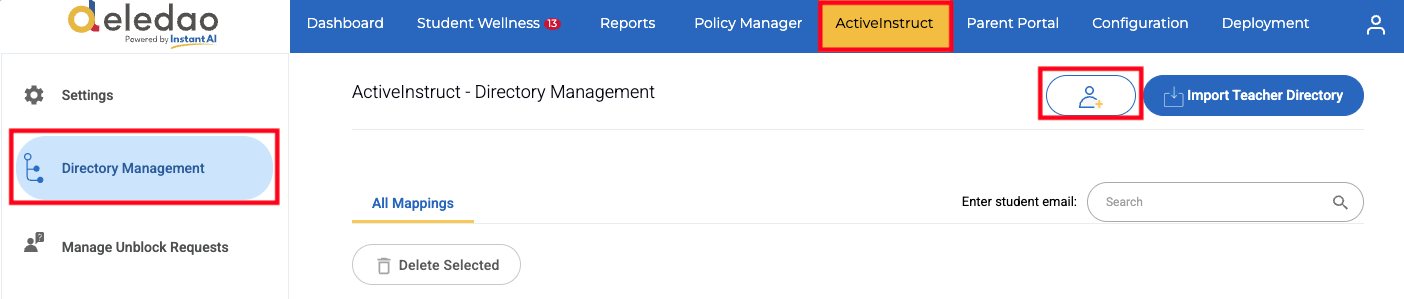
- Navigate to ActiveInstruct > Directory Management.
From this page, administrators can create and manage mappings using several different methods.
Create Mappings Automatically
The easiest way to maintain student-teacher relationships is through an integrated rostering solution. See Rostering for more information.
Tip: Automatic rostering is the recommended approach because mappings remain up to date as classes and enrollments change.
Create Mappings Manually
Administrators can also create mappings manually by clicking on the Add a new mapping button.
Map by Organizational Unit (OU)
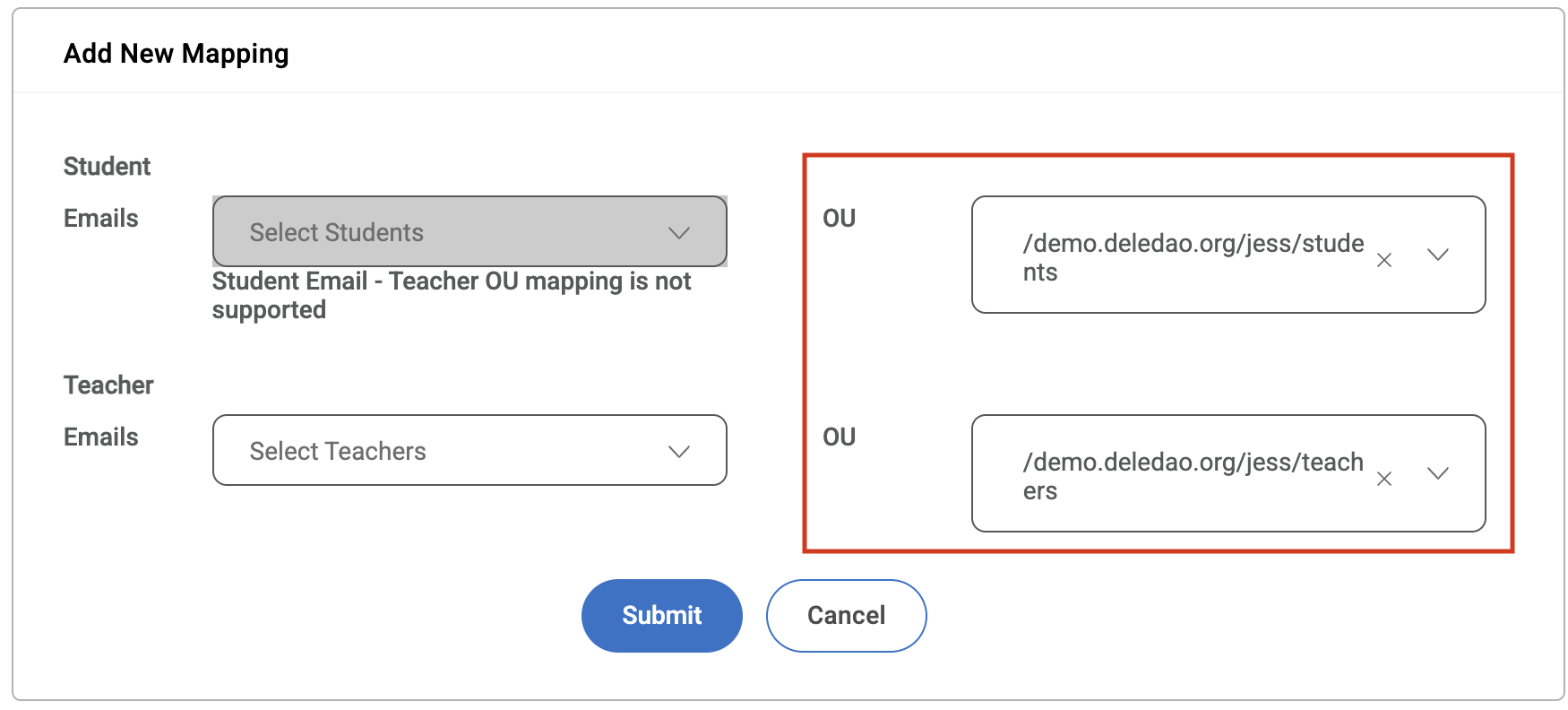
You can map an entire student Organizational Unit (OU) to one or more teachers. This method is ideal when teachers are responsible for all students within a grade level, school, or department.
Map by Individual Email Address
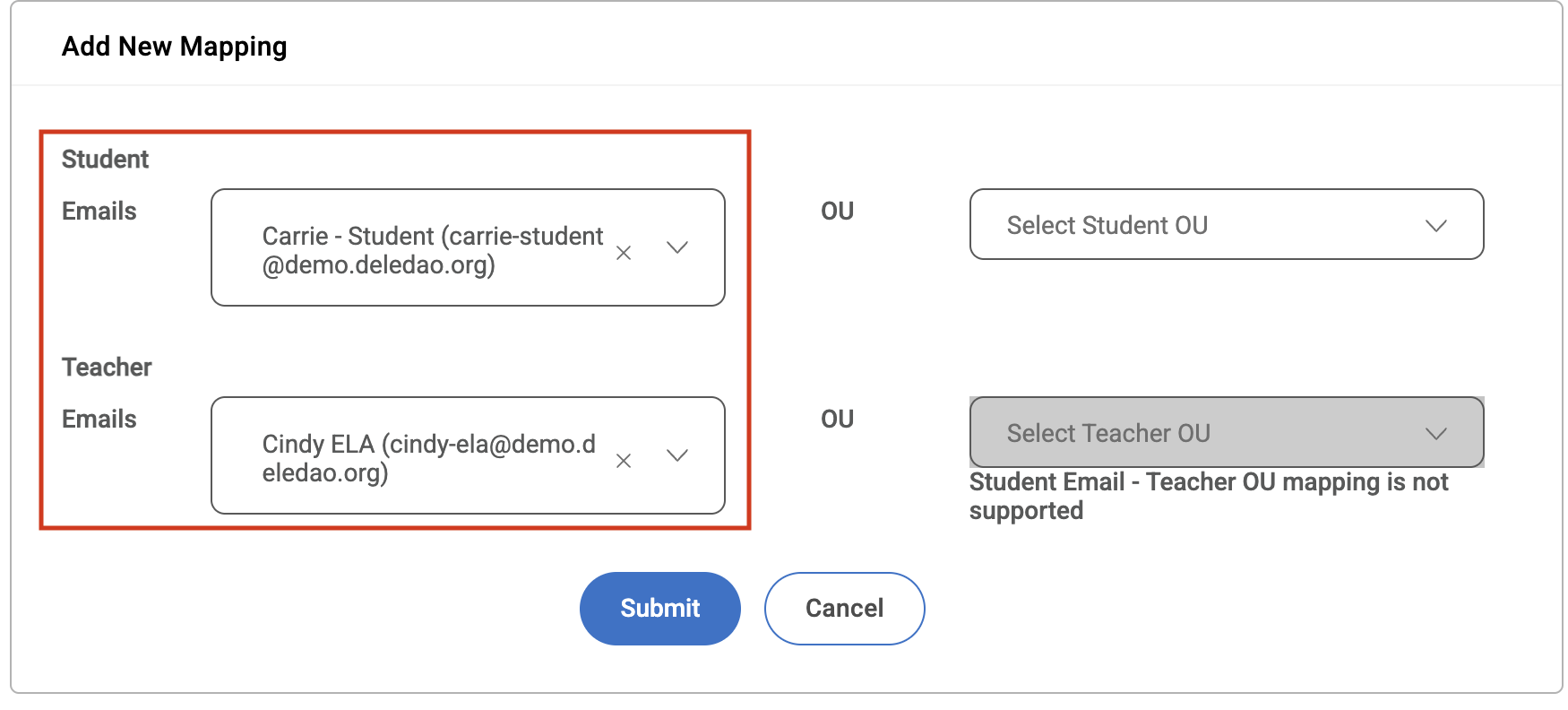
You can also create mappings using specific student and teacher email addresses. This option provides additional flexibility when only certain students need to be associated with a teacher.
Import Mappings Using a CSV File
For larger deployments, mappings can be imported using a CSV file by clicking the Import Teacher Directory button.
CSV Format
The first line of the file must contain the following header:
StudentEmail,TeacherEmail Each subsequent row should contain a student email address and the corresponding teacher email address.
Example
StudentEmail,TeacherEmail
student1@school.org,teacher1@school.org
student2@school.org,teacher2@school.org
student3@school.org,teacher3@school.org
Once the file is uploaded, Deledao will create the specified student-teacher mappings.
Administrator Workflow for Teacher Unblock Requests
Some organizations want teachers to submit unblock requests to a technology administrator rather than approving requests themselves.
This can be accomplished through Directory Management by creating a mapping where:
- The Teacher OU is selected as the Student OU
- The Technology Administrator is assigned as the Teacher
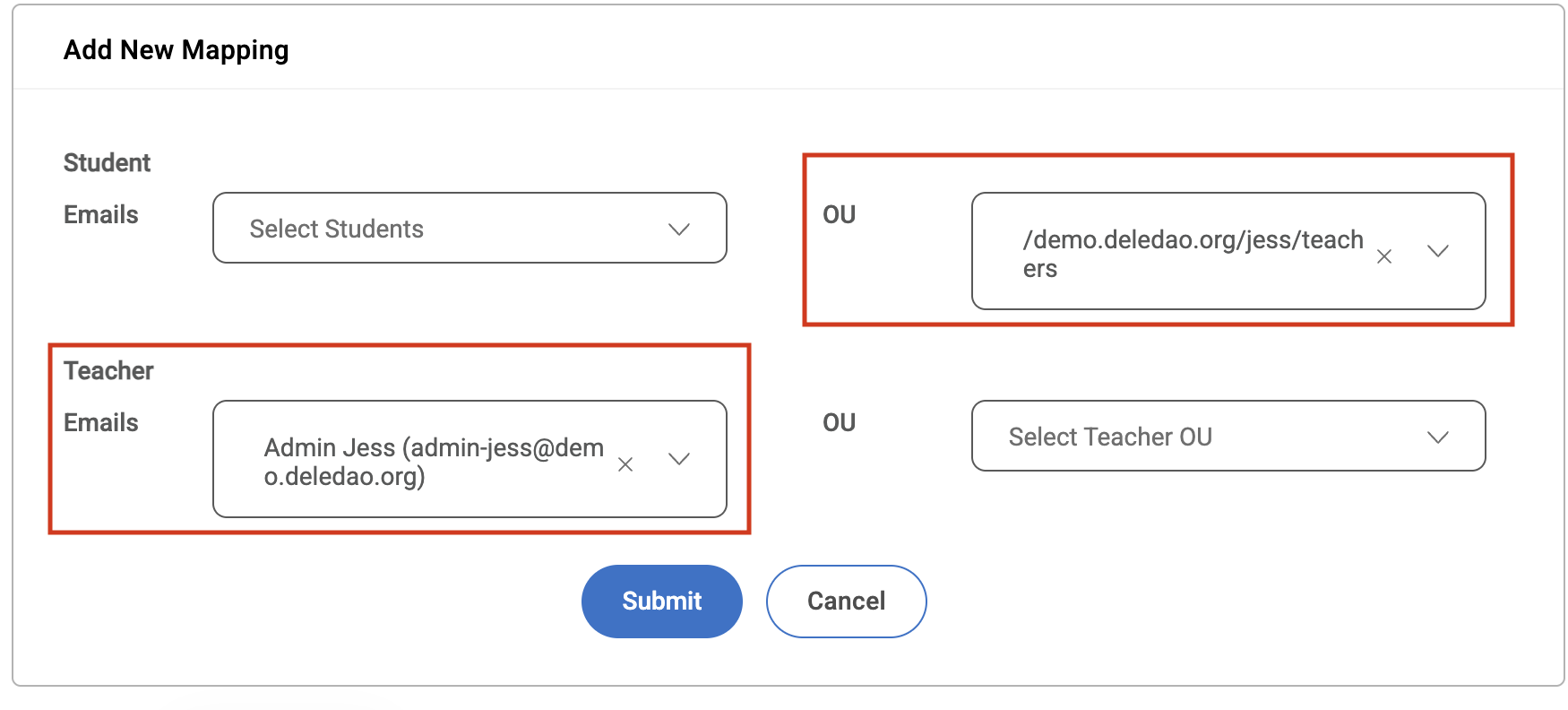
With this configuration:
- Teachers can submit unblock requests.
- Requests are routed to the designated technology administrator.
- The administrator can review and approve or deny requests using the same Teacher Portal workflow.
This is particularly useful when schools prefer centralized approval for staff access requests while still leveraging the teacher unblock request system.
Example: Map the Staff OU as the Student OU and assign the Technology Director or Filtering Administrator as the Teacher. Staff members can then submit unblock requests that are routed directly to the administrator for review.
Verify Mappings
After mappings have been configured:
- Students can submit unblock requests to their assigned teachers.
- Teachers gain access to Teacher Portal functionality.
- ActiveInstruct™ features become available to mapped teachers.
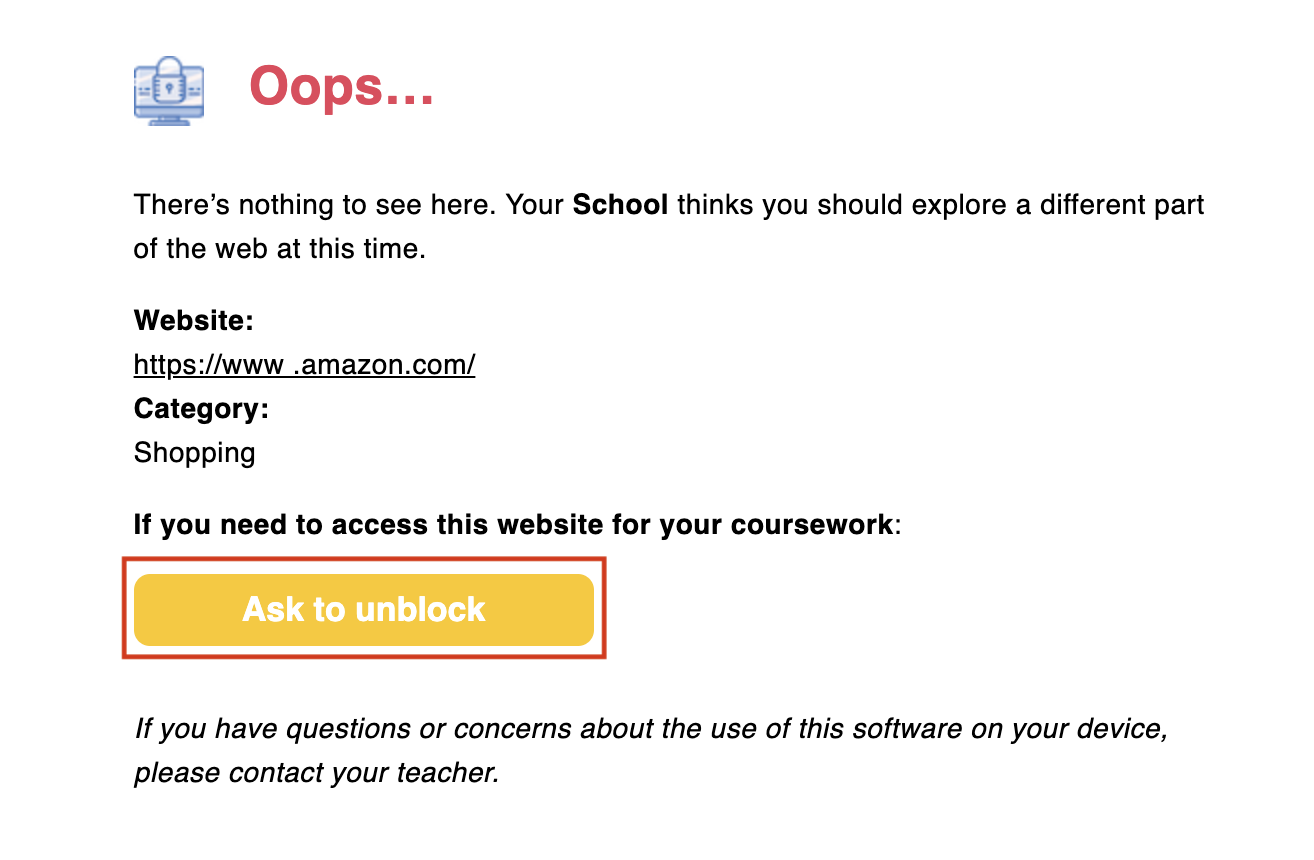
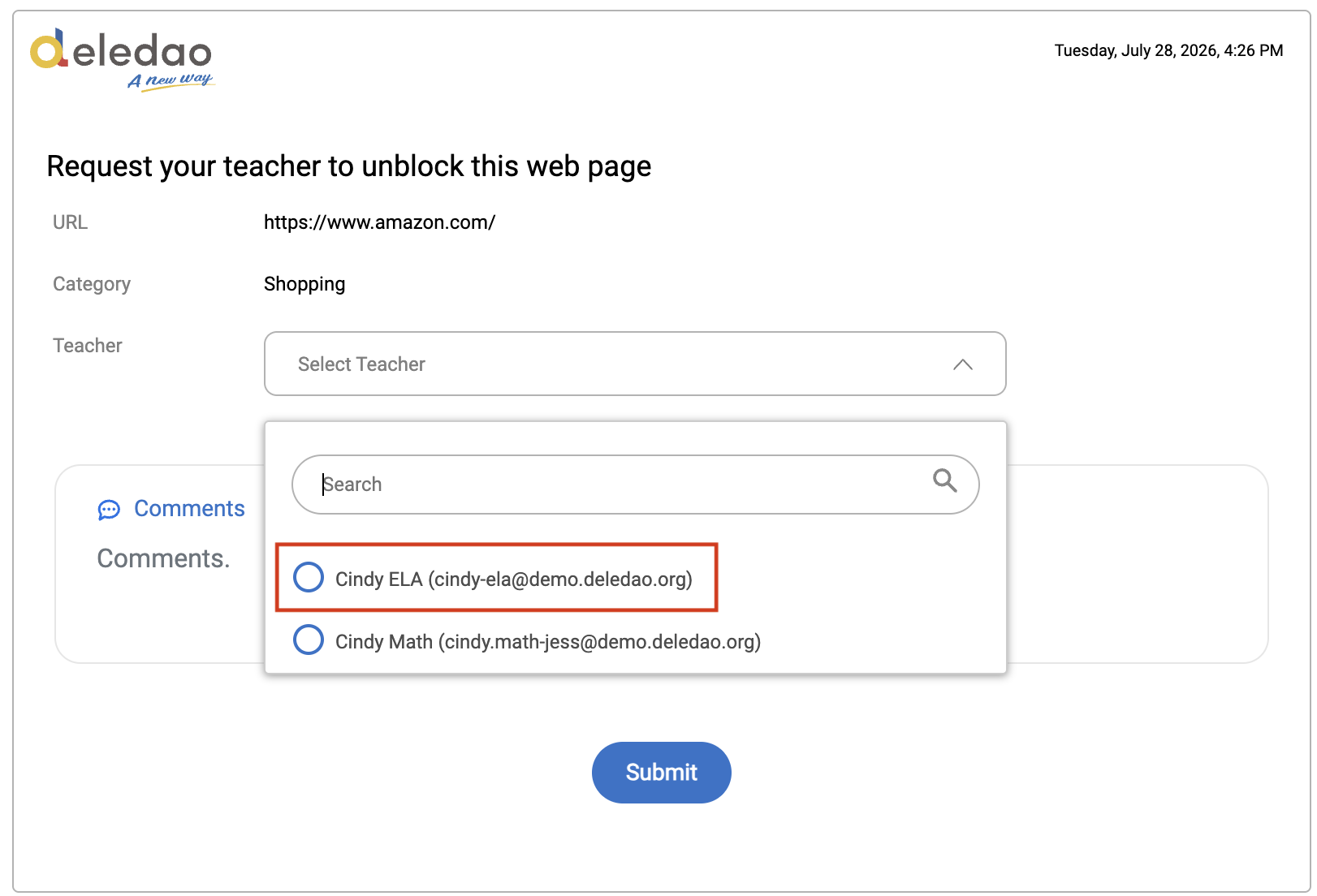
If a teacher is unable to receive unblock requests, verify that a student-teacher mapping exists and that the teacher is included in the directory.
Best Practices
- Use Rostering whenever possible to automate maintenance.
- Review mappings periodically to ensure roster accuracy.
- Use OU-based mappings when a teacher serves a large group of students.
- Use individual mappings for specialized programs or exceptions.
- Consider routing staff unblock requests to a technology administrator using the Teacher OU mapping method described above.
Proper student-teacher mappings are essential for unblock requests, Teacher Portal functionality, and ActiveInstruct™ classroom management.
© Deledao Education